Gate passes for subdivisions
No IDs left at the guardhouse.
Residents, helpers and visitors carry a pass instead. The guard scans it, sees who it is, and nothing is kept at the gate.
- NPC Circular No. 2022-03
- Data Privacy Act
- No app for visitors
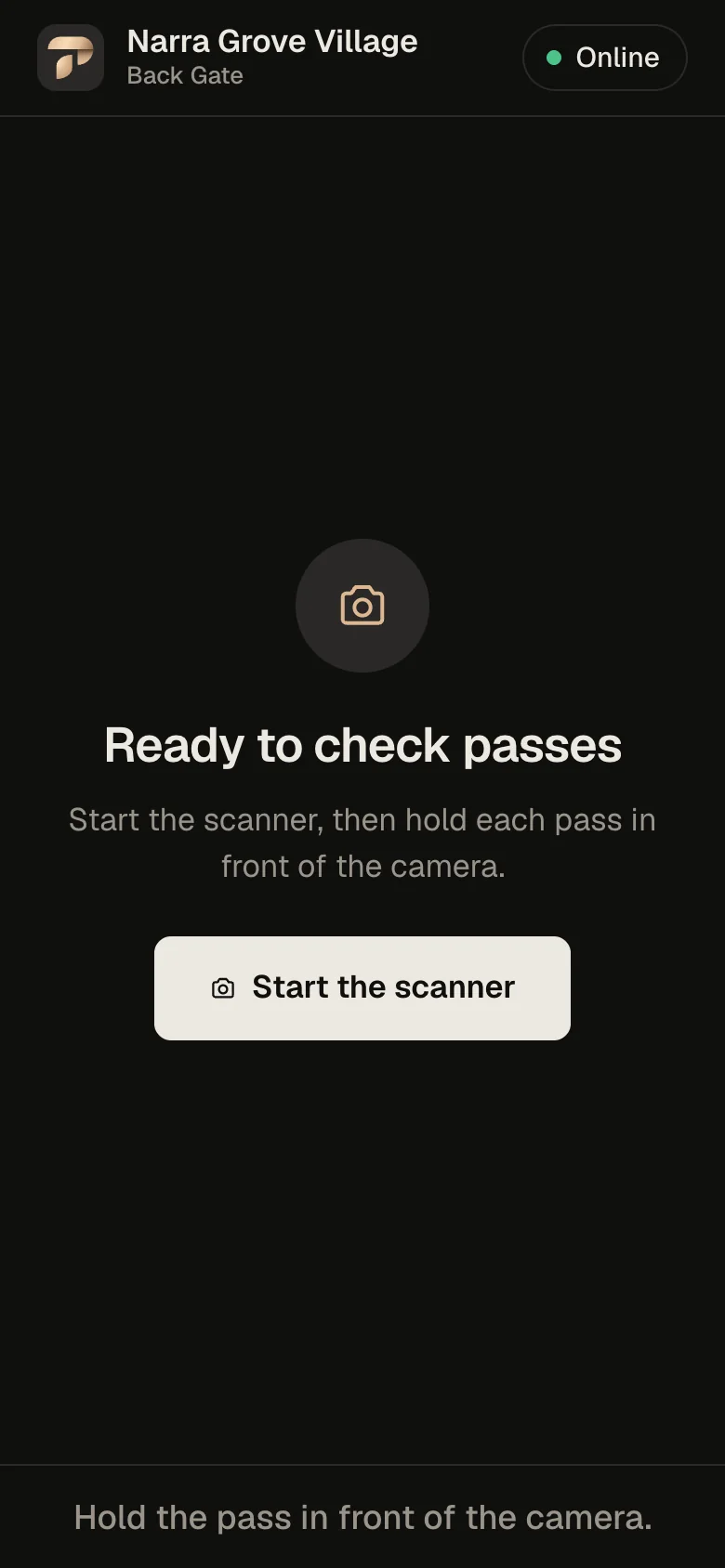
Today at most village gates
The ID at the guardhouse
Leaving an ID at the gate feels like security. Under the Data Privacy Act it is a risk the association carries.
-
IDs in a drawer
A license or company ID stays with the guard until the visitor leaves.
-
An open logbook
Names, plates and house numbers on a page every visitor can read.
-
No real record
Paper the board cannot search when something goes wrong.
National Privacy Commission · Circular No. 2022-03
Guards may look at an ID. They may not keep it.
Read the circular (PDF, privacy.gov.ph)“…the government-issued ID shall not be kept by the PSA or authorized Security Guards.”
-
NPC Circular 2022-03 §3(B), §5(B)
No keeping IDs. No copying ID numbers, ID photos or birthdays.
-
PNP-SOSIA memorandum, 15 June 2020
No taking a driver’s license, not even until the visitor leaves.
-
NPC Circular 2022-03 §5(C)
Logbook entries must not be visible to other visitors.
-
RA 10173 §21 · Circular §6
The HOA is accountable, not only the guard agency.
-
RA 9904 §10(d)
The HOA may still control the gate for security, within these rules.
Sources: NPC Circular No. 2022-03; RA 10173 (Data Privacy Act); RA 9904 (Magna Carta for Homeowners and Homeowners’ Associations); RA 4136 §29. Not legal advice.
How it works
A pass instead of an ID
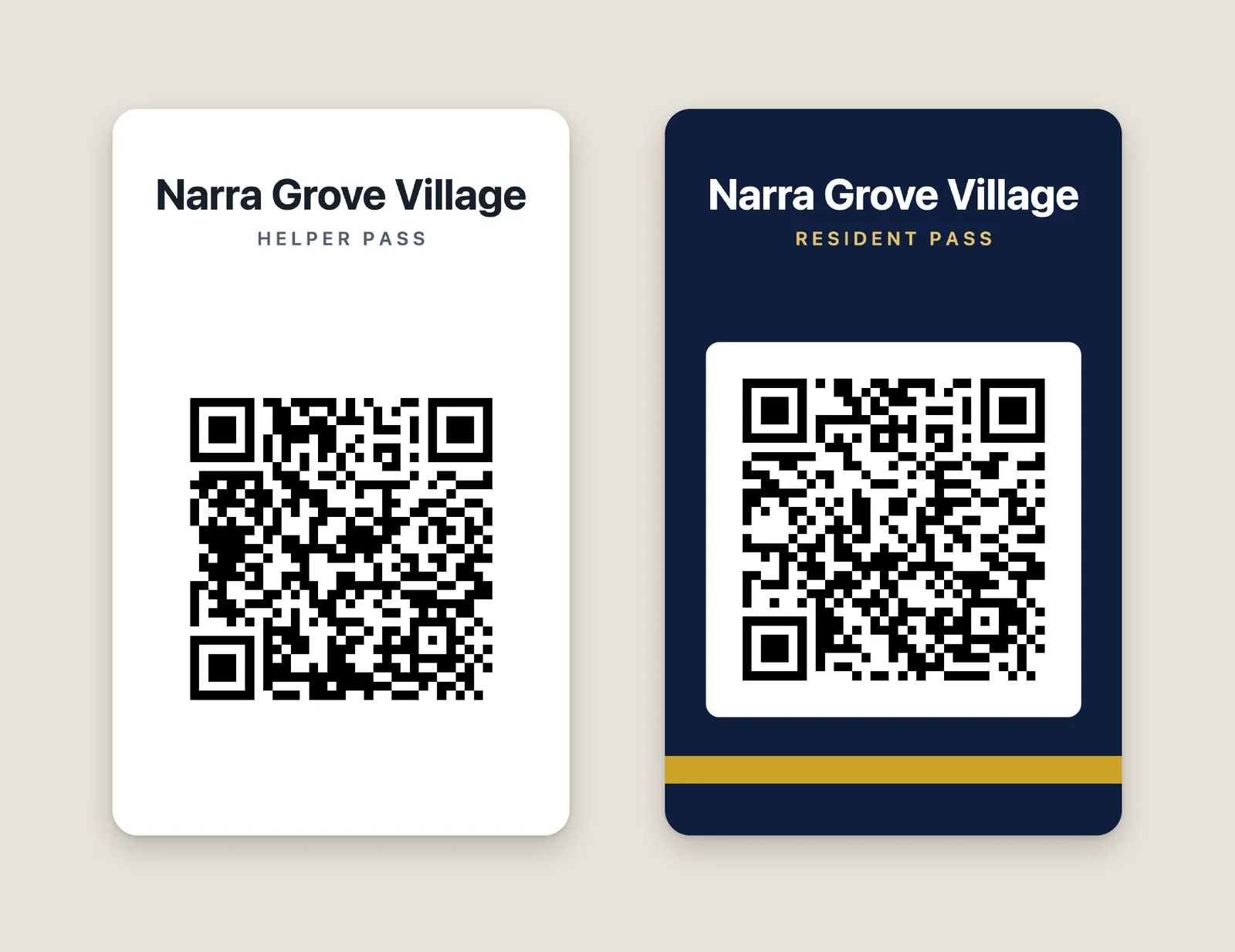
Everyone who comes in carries a TuloyPass pass. The guard scans it and the gate screen says who it is.
-
Residents
Navy-and-gold card for household members.
-
Helpers
White card, added by the household they work for.
-
Visitors
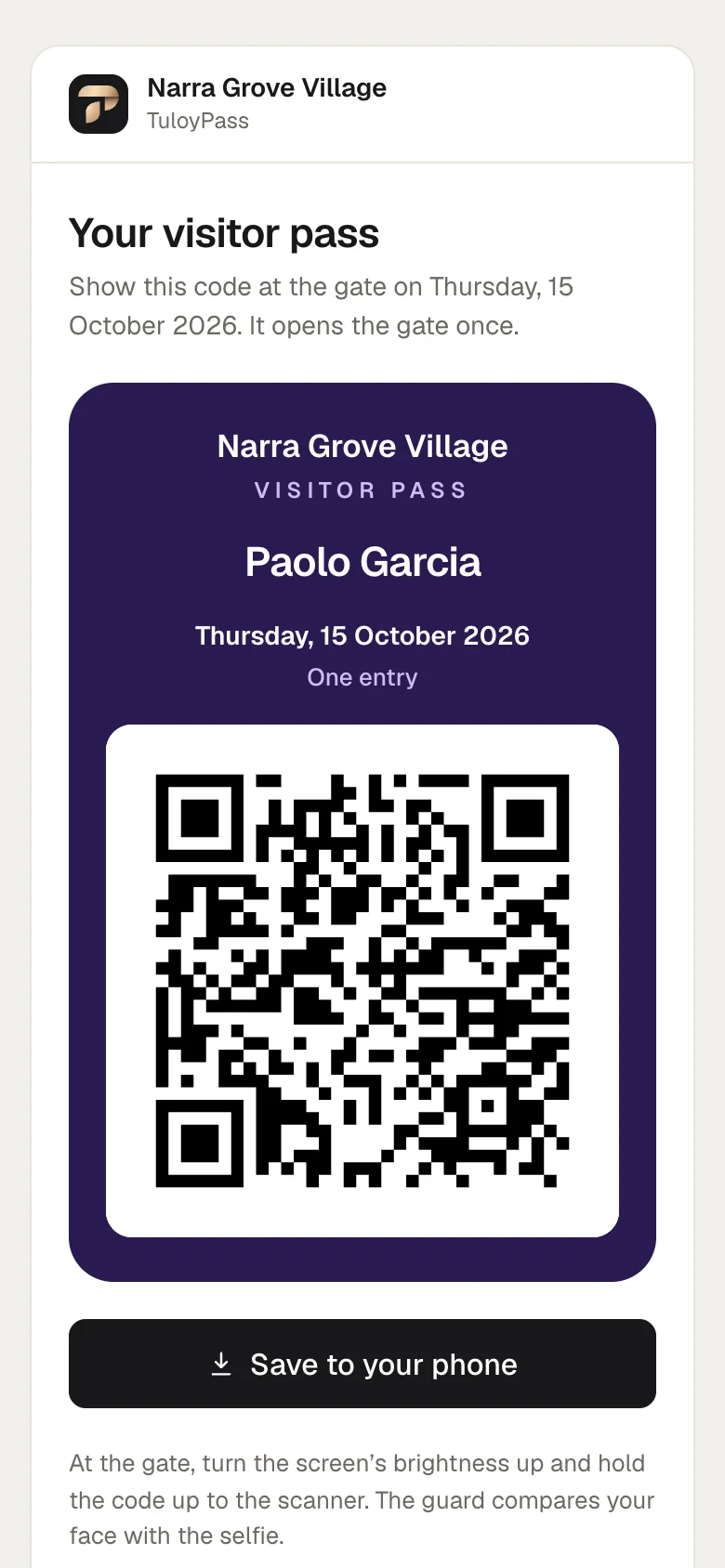
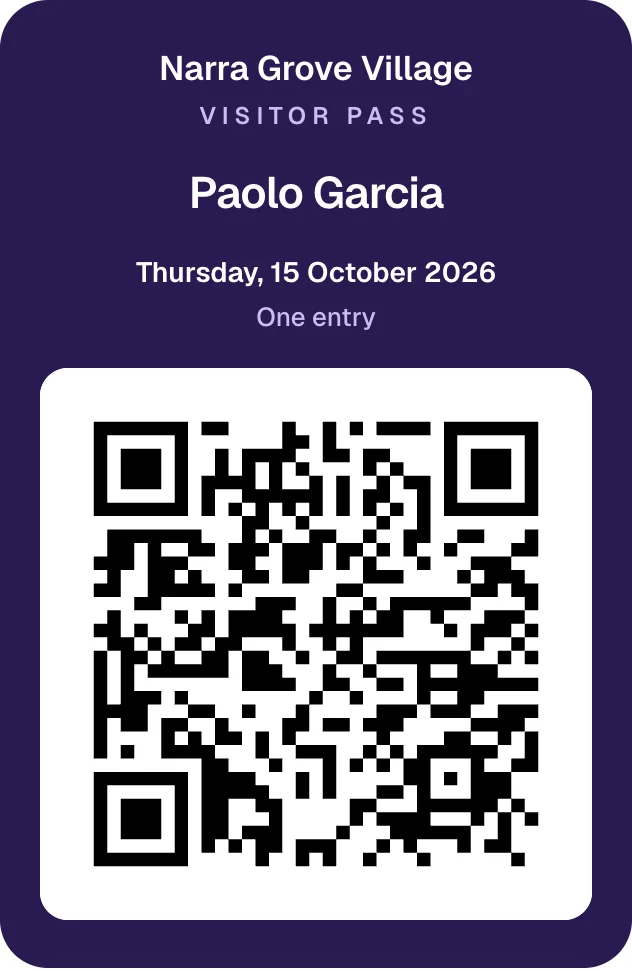
A one-day pass on their own phone.
Printed cards carry the village name and a random code. No name, no photo. A lost card is reissued and the old one stops working at once.
Visitors
Invited by the household
No guest list at the guardhouse and no ID in a drawer. The household invites, the visitor brings the pass.
-
01
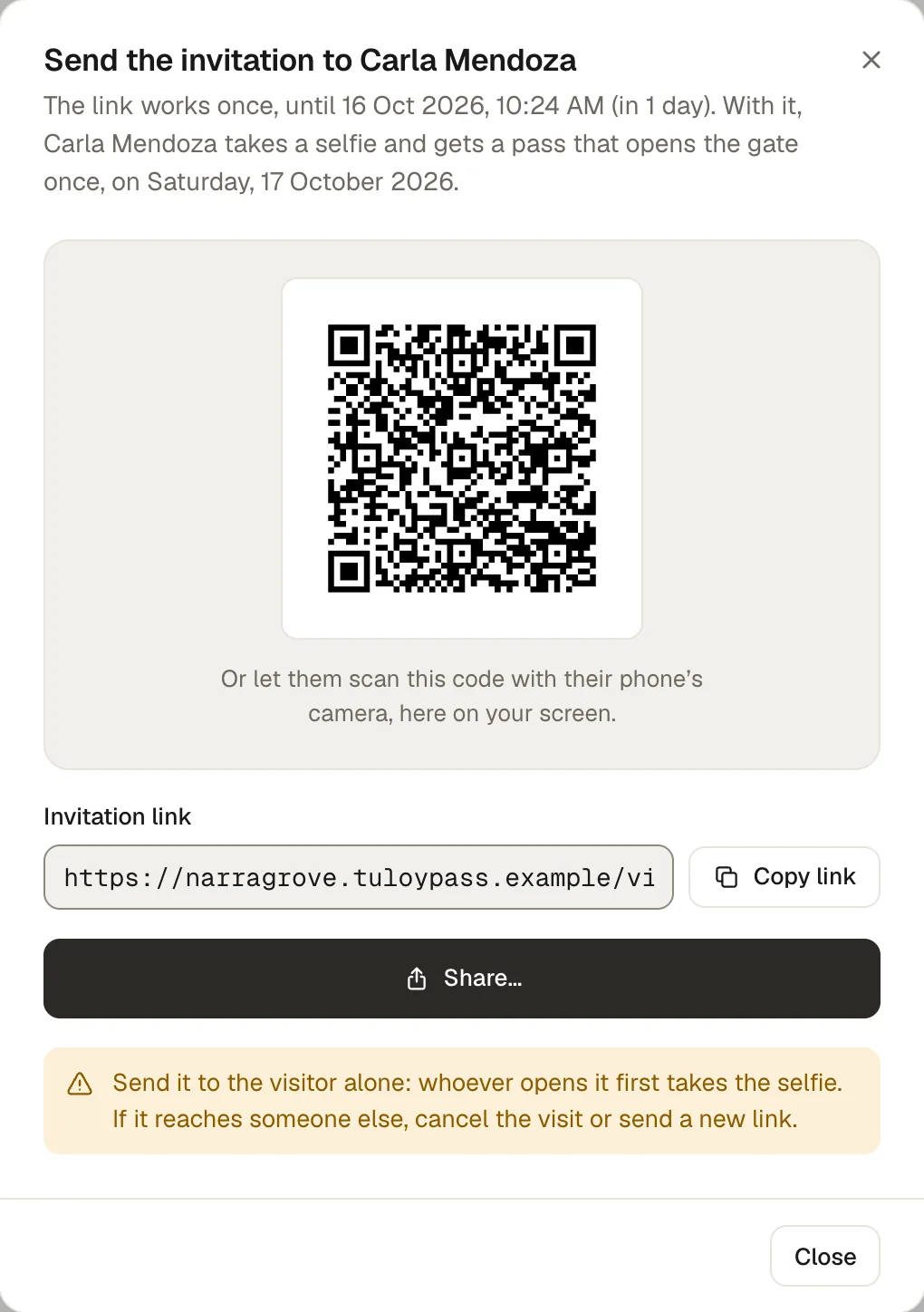
Homeowner invites
A name and a day, up to 90 days ahead. Shared as a link or a QR code.
-
02
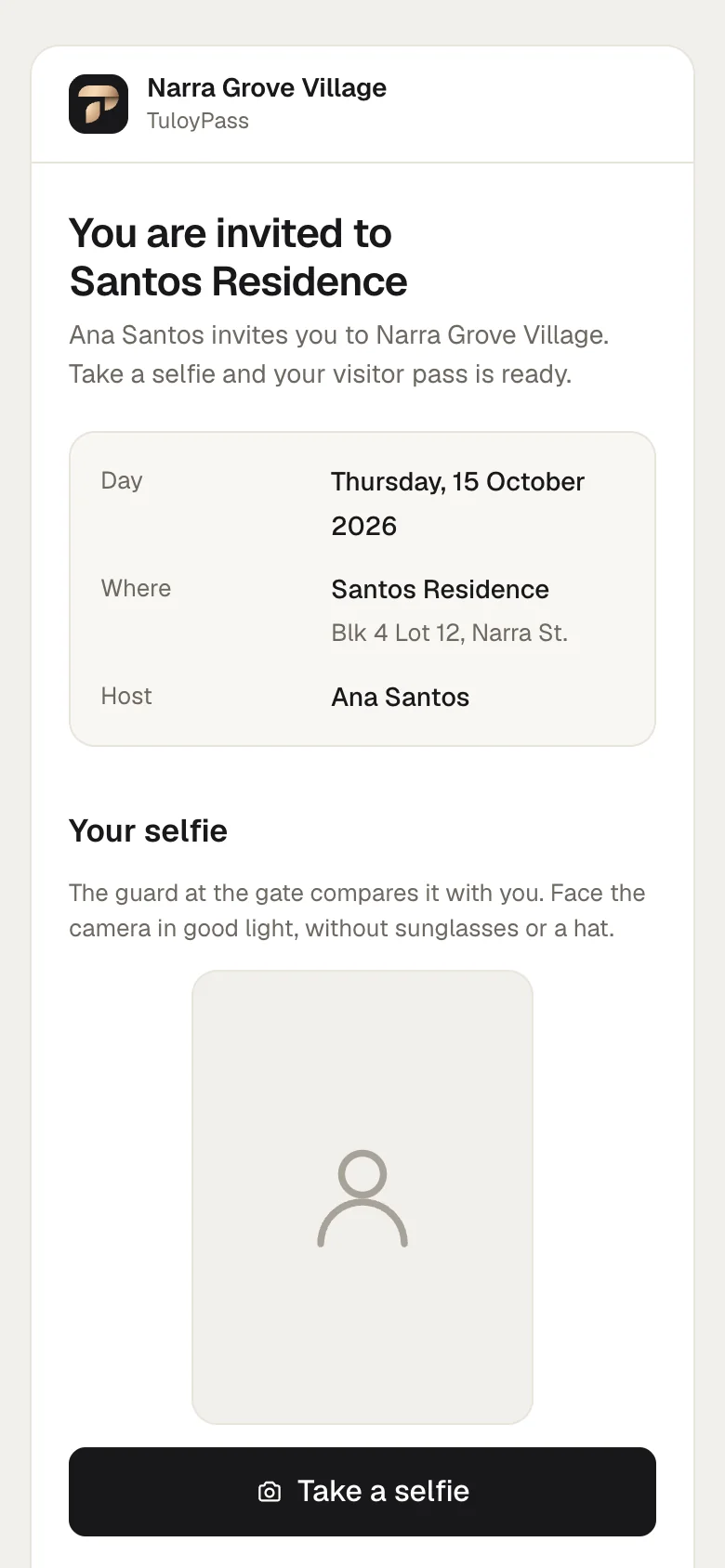
Visitor takes a selfie
In the phone’s browser. No app, no account, no ID.
-
03
One day, one entry
The first scan at the gate uses the pass up.
- The household sees the selfie and the arrival as they happen.
- Cancel a visit or send a new link at any time.
- Visits and selfies are deleted 30 days after the visit.
At the gate
One scan, one answer
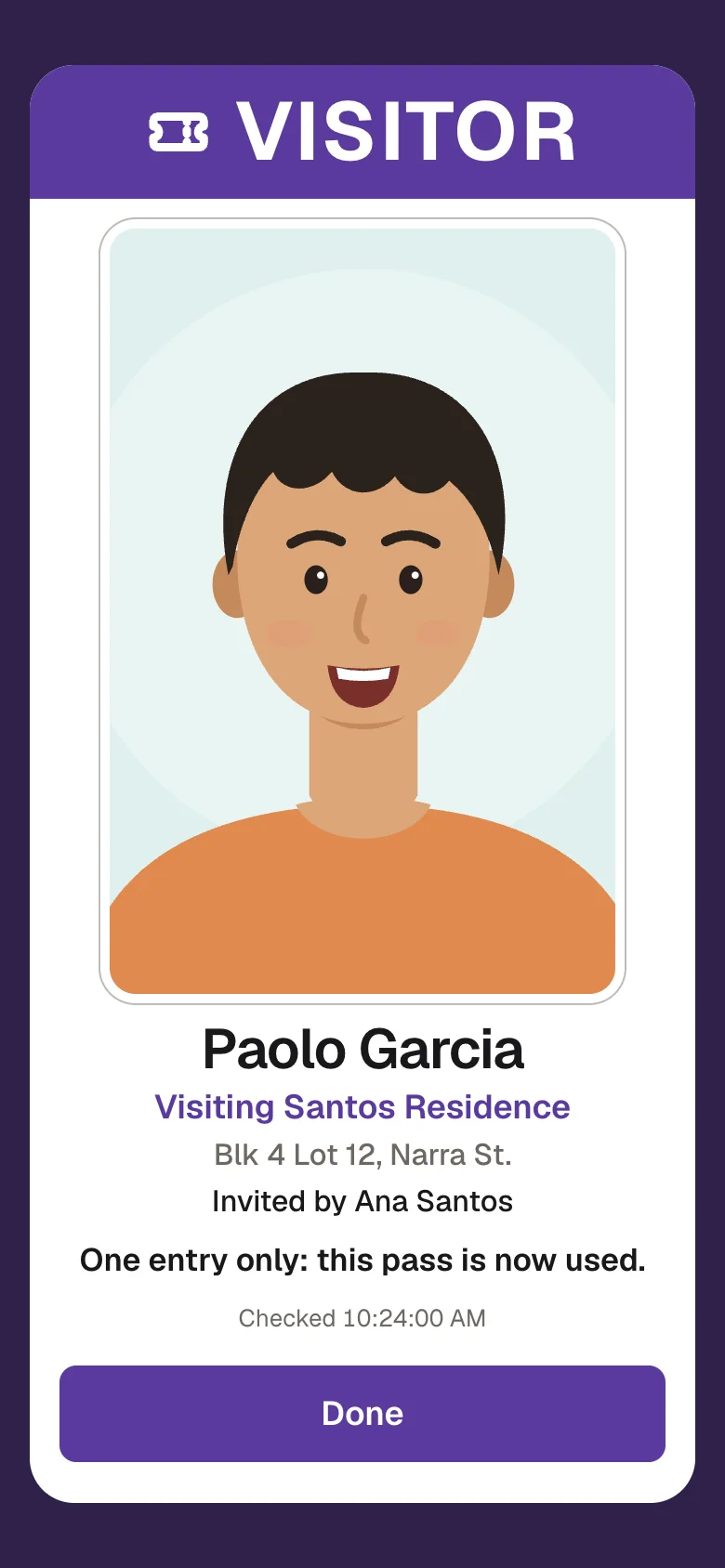
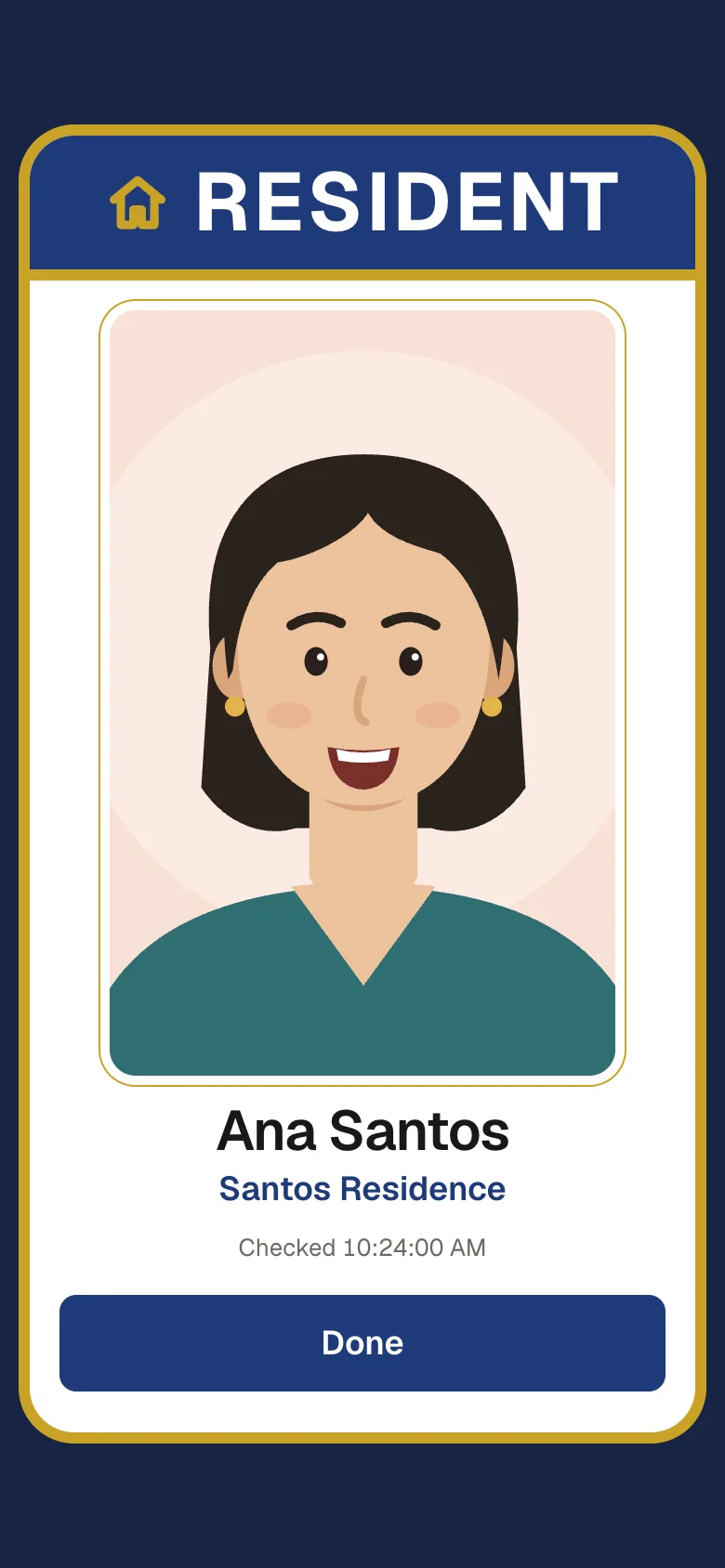
The guard sees a photo, a name and a clear result. Nothing to write down, nothing to keep.
-
Visitor
-
Resident
-
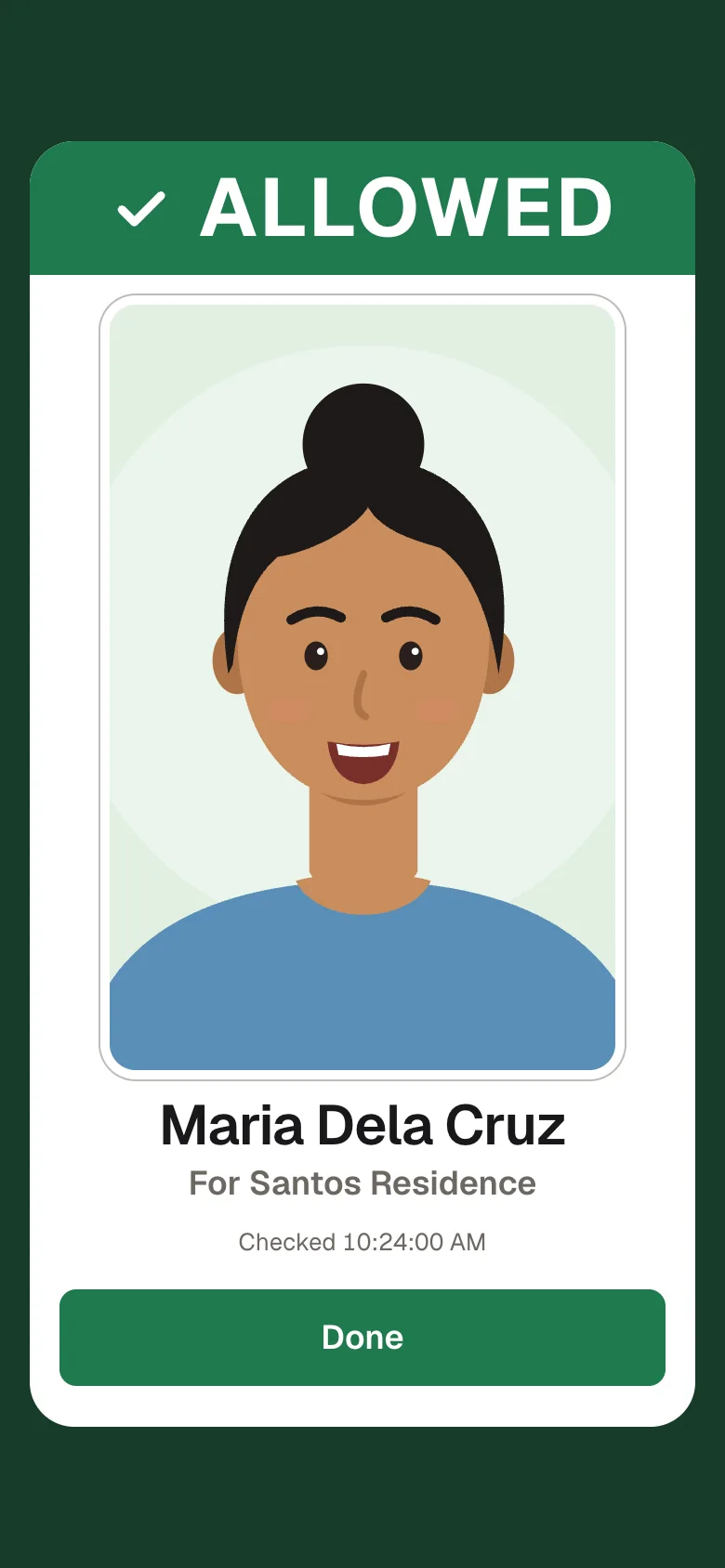
Helper
-
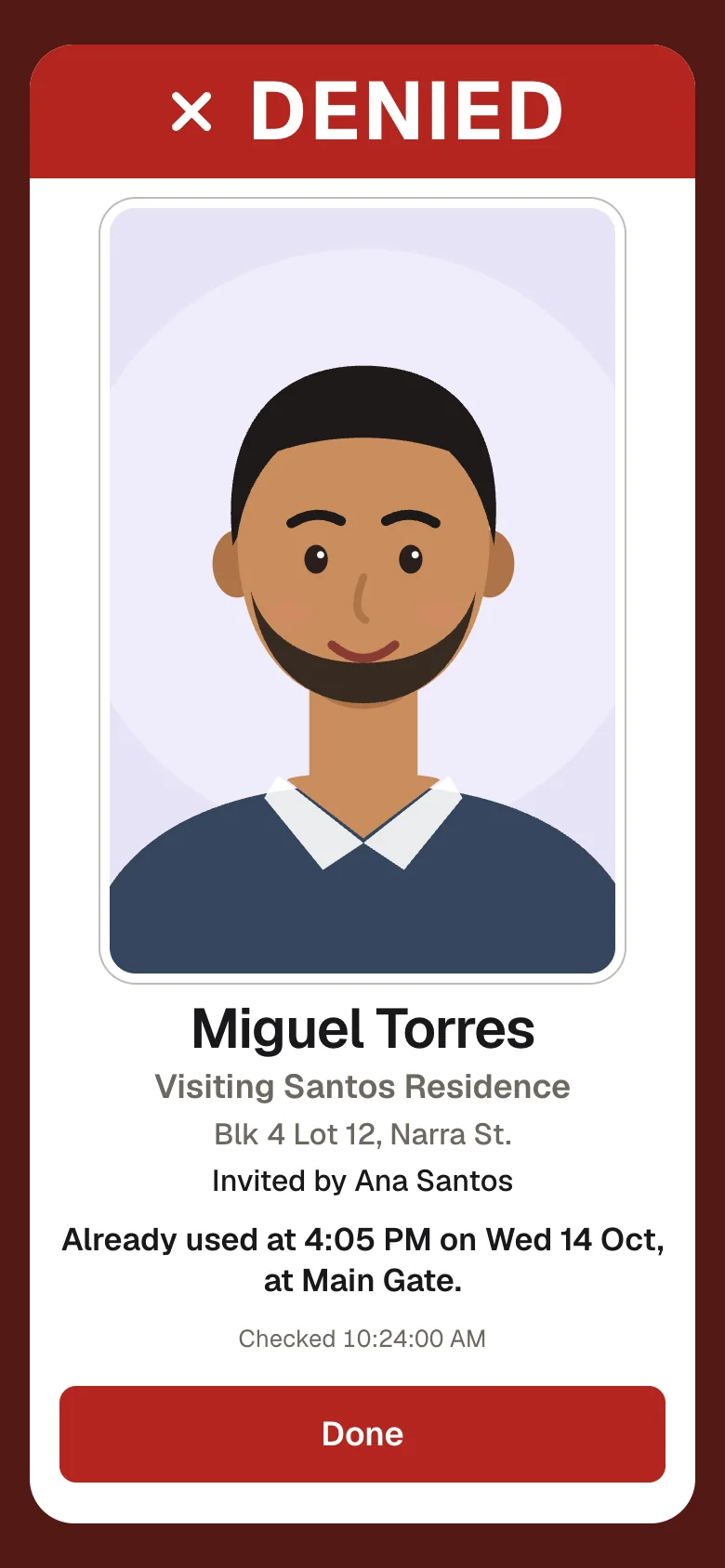
Already used
- Photo, name, household on one card.
- Visitors: where they’re going and who invited them.
- No answer from the server? The gate shows NOT VERIFIED. It never fails open.
For households
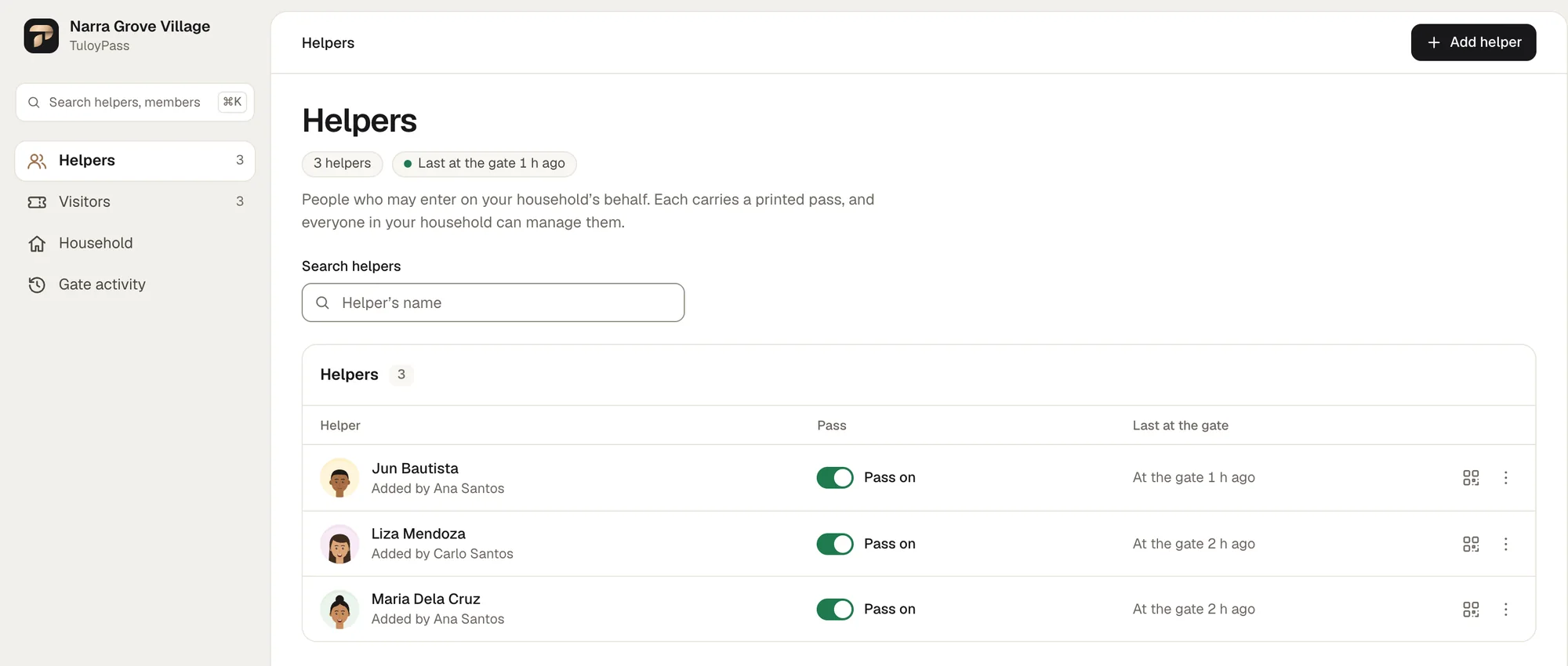
Helpers on record
- Added by the household: a photo and a pass for each helper.
- Pass off: the gate refuses the card at once.
- When each helper was last at the gate.
For the board
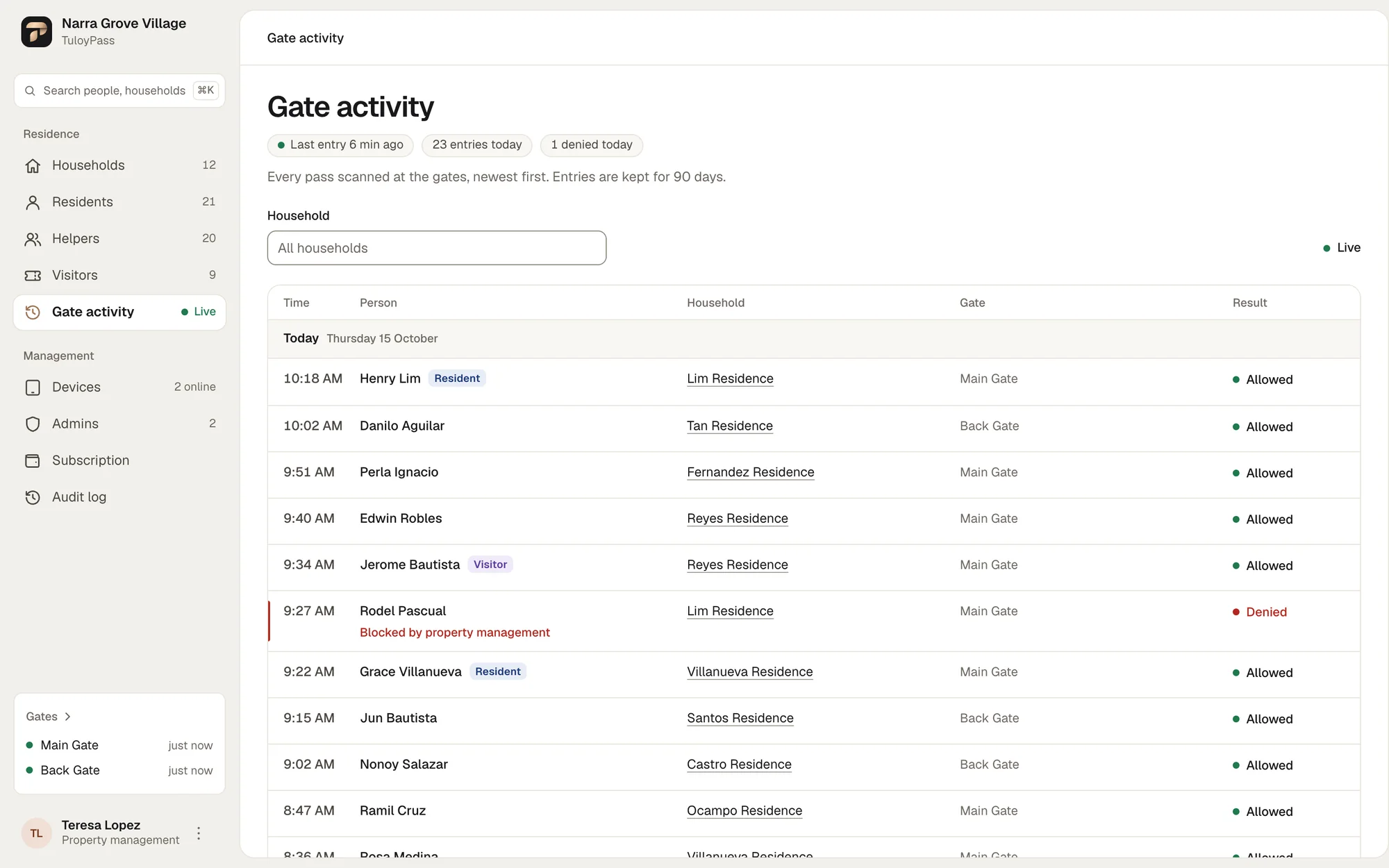
A private logbook
- Every scan: who, when, which gate, the result.
- Homeowners see only their own household.
- Deleted automatically after 90 days.
Gate devices
Gates that guard themselves
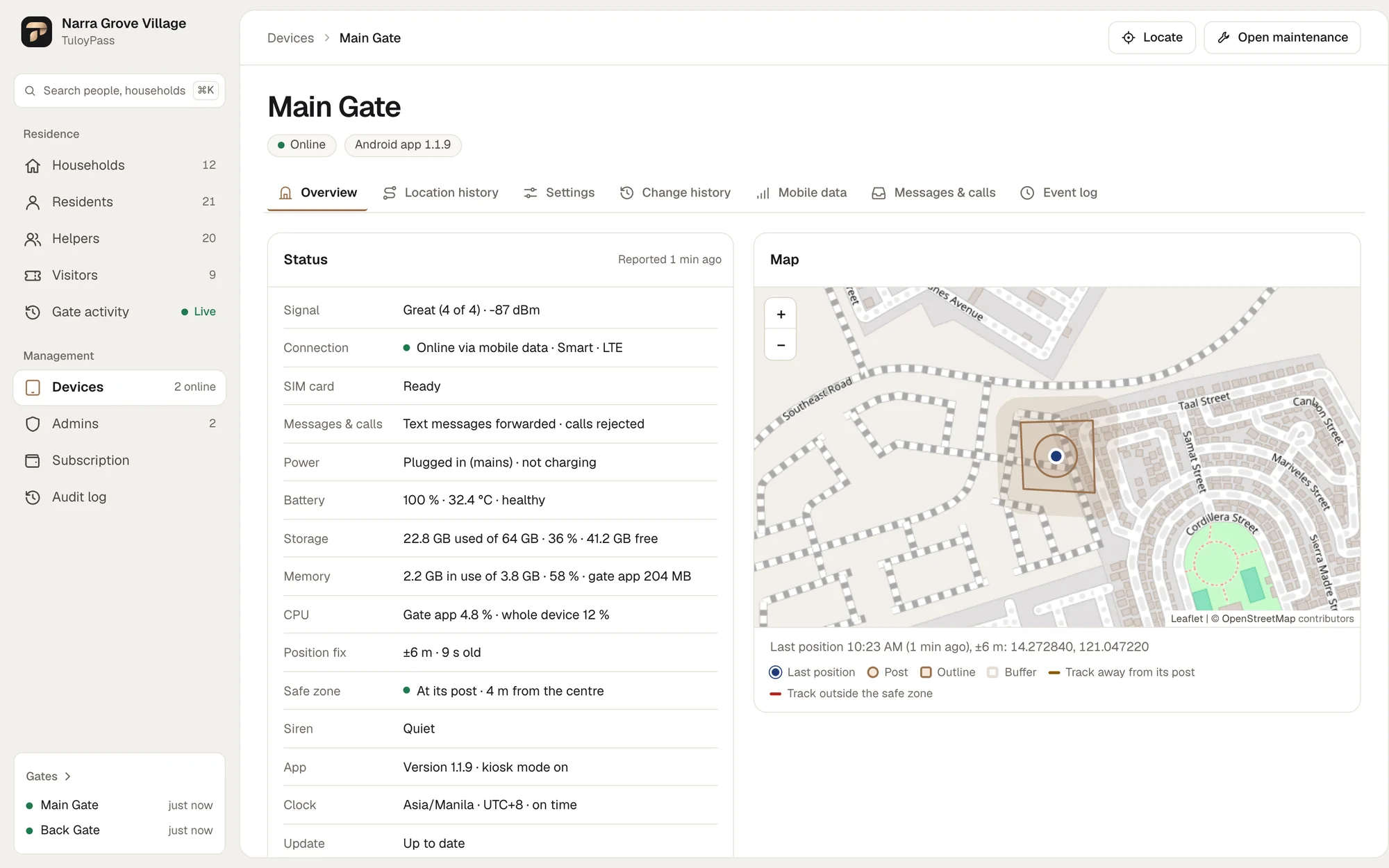
- Runs on mobile data: no Wi-Fi needed at the gate.
- Locked in kiosk mode, day and night.
- A siren if it leaves its post, loses its SIM or stays offline.
- Live map, alarms, battery and health for the admin.
- Or use any tablet’s browser as a scanner.
Privacy by design
Built for the Data Privacy Act
What the National Privacy Commission asks of the association, and how TuloyPass answers it.
| The rule asks | TuloyPass does |
|---|---|
| Don’t keep IDs | Nothing is handed over. The pass is a QR code on a card or a phone. |
| Don’t copy ID numbers or ID photos | We keep a name and a photo. Nothing from any ID. |
| Keep the logbook out of sight | The gate log needs a sign-in. A household sees only its own. |
| Keep data only as long as needed | Visits and selfies go after 30 days, the gate log after 90. |
| Only necessary data on ID cards | Printed passes carry no name and no photo, just a random code. |
| Protect what you keep | Photos lose their location data. Only signed-in accounts and paired gates see them. |
NPC Circular No. 2022-03 §3 and §5 · NPC Circular No. 2023-03 §3 (contents of ID cards)
Rollout
Getting started
-
01
Load the village
Households, addresses and residents.
-
02
Pair the gates
A one-time setup code turns a phone or tablet into a scanner.
-
03
Hand out passes
Print resident and helper cards in bank-card size.
-
04
Invite visitors
Homeowners send a link. Guards scan the pass.
FAQ
Questions boards ask
Do guards still need to look at IDs?
No. Residents, helpers and visitors show a pass, and the gate screen shows the photo and name to compare. If your policy still asks for an ID, the circular lets a guard look at it after explaining why, but never keep it.
What does a visitor need?
A phone with a camera and a browser. No app and no account: the household sends a link, the visitor takes a selfie and the pass appears.
What if the gate loses its connection?
Nobody gets in on a guess. Without an answer from the server the gate shows an amber NOT VERIFIED card. The Android gate runs on mobile data and raises an alarm when its connection stays down.
Who can see the gate log?
Property management sees every scan. Homeowners see only their own household’s helpers and visitors. Nothing is left on paper at the gate.
How long do you keep the data?
Visits and their selfies are deleted 30 days after the visit day. The gate log is kept for 90 days, then deleted automatically.
Which devices do we need at the gate?
An Android 11 or newer phone or LTE tablet with GPS, a rear camera and 3 GB of RAM for the gate app, or any tablet’s browser as a scanner. Each one is paired with a one-time setup code.
A helper stopped working for us. Now what?
Switch the pass off or remove the helper. The gate refuses the card from the next scan.
No IDs at the gate. Every entry on record.
See TuloyPass working at your own gate. We’ll walk your board through it.